Dealers: Procurement Checklist to Get Inventory Photos Live Faster
A procurement checklist for dealers to speed inventory photos to web. Compare managed, lot, and API/AI options; run a 10–15 vehicle trial.
For fastest time-to-web, choose on-lot automation. For full studio styling, hire a managed photography service. For consistency across multiple rooftops, use API or AI processing. The three routes are on-lot automated capture (Black Widow Imaging, Dealer Image Pro), managed shoots (Redline, Dealer Specialties), and AI-driven photo processing (SHOWIT, Ideal Inventory Images, VehicleImagery). Match your pick to whichever matters more: speed, polish, or scale.
TL;DR:
- API and AI processing services provide the fastest turnaround, often delivering listing-ready images within minutes to a few hours.
- Managed photography offers the highest quality results but typically requires 24 to 72 hours or more, making it less suitable for speed-focused dealers.
- On-lot automated systems balance speed and control, enabling same-day publishing with an upfront hardware investment and staff training.
- Vendors should be asked for VIN-mapped sample manifests, real-world turnaround times at your volume, and integration options to avoid potential delays or manual processes.
- Owners should clarify licensing rights, especially regarding reuse and transfer if switching vendors, and always keep unedited originals for compliance and dispute resolution.
Table of Contents
- Which dealer inventory photo service should you choose?
- How do the three approaches compare?
- What should you ask vendors before signing?
- What is the standard shot list for a car listing?
- How do VIN-resolved image APIs actually work?
- What does dealer inventory photography actually cost, and how fast is it?
- Who owns the rights to your dealer inventory photos?
- How do you optimise dealer photos for search and online listings?
- A dealer’s honest take on choosing a system
- Get your cars in front of buyers faster once the photos are ready
- Sources
- FAQ
Which dealer inventory photo service should you choose?
Every vendor in this space solves the same underlying problem: getting a car from the lot onto a listing page before a buyer loses interest. However, they solve it in three distinct ways, and picking the wrong one wastes either money or time.
Managed or outsourced photography suits dealers who move fewer cars but want them to look their absolute best. A photographer visits the lot, stages each vehicle, shoots it properly, and delivers a finished set. Redline and Dealer Specialties both run this model, and Redline pairs it with an Inventory Library that reuses representative images for visually similar incoming stock, cutting the wait when several near-identical trims arrive together.
- Best for: low-volume lots, trade-ins needing extra staging, dealers without spare staff time
- Trade-off: slower turnaround, higher per-visit cost, scheduling dependency
On-lot automated systems put a capture rig on your own forecourt so staff drive each car through a fixed setup and images publish the same day. Black Widow Imaging and Dealer Image Pro both sell hardware plus workflow software built for this, with Dealer Image Pro’s Photo Assistant™ guiding staff through a consistent shot sequence.
- Best for: single rooftops or groups wanting speed without hiring photographers
- Trade-off: upfront installation, staff training, physical space requirement
API and AI processing services take photos your own staff already snap on a phone and turn them into branded, listing-ready images in minutes. SHOWIT, Ideal Inventory Images, and VehicleImagery all operate here, with VehicleImagery resolving images by VIN for catalogue-style consistency.
- Best for: high-volume dealers and centralised merchandising teams across rooftops
- Trade-off: image quality depends on the original phone photo
How do the three approaches compare?
The categories differ most on turnaround and how much human effort sits between capture and publish. On-site managed shoots deliver the most polished result but take the longest. On-lot automation splits the difference: same-day speed with a modest hardware investment. API and AI processing is fastest of all, since it works from photos your staff have already taken.
| Service type | Pricing model | Turnaround | Automation level | Images per vehicle | Best for | Example vendors |
|---|---|---|---|---|---|---|
| On-site managed shoot | Per-visit or contract | 24 to 72+ hours | Manual photographer | 15 to 20 | Low-volume lots wanting showroom polish | Redline, Dealer Specialties |
| On-lot automated system | Hardware plus subscription | Same day | Guided in-house capture | 20 to 30+ (including 360°) | Single rooftops or groups wanting speed without outsourcing | Black Widow Imaging, Dealer Image Pro |
| API/AI processing | Per vehicle or subscription | Minutes to hours | AI processing of existing photos | 15+ | High-volume, multi-rooftop, or centralised merchandising | SHOWIT, Ideal Inventory Images, VehicleImagery |
If speed to web is your only metric, API processing wins outright. If your buyers expect showroom-grade staging on higher-value stock, a managed shoot is worth the wait. On-lot automation is the pragmatic middle ground for dealers who want control without full staffing.
What should you ask vendors before signing?
A photography vendor’s demo will always look polished. The questions below expose whether that polish survives contact with your actual inventory volume.
- Ask for a sample manifest keyed to VIN. If a vendor can’t show you how images map to individual vehicles, expect manual tagging headaches later.
- Confirm real turnaround at your volume, not their showcase volume. A vendor quoting “same day” for 5 cars a week may mean something different at 150.
- Ask how damage or mismatched trim gets handled. Someone has to catch a wrong badge or a dented panel before it goes live, and you need to know who.
- Check integration options. Does the service offer webhooks or a DMS connector, or will someone be uploading files by hand every morning?
- Clarify image ownership and rights. Confirm you can reuse, edit, or pull the images if you switch providers later.
Watch for red flags: no sample manifest, pricing that only appears after a sales call, or an inability to deliver images matched cleanly to VIN.
Pro Tip: Negotiate a trial batch of 10 to 15 vehicles before committing to a contract. It costs little and tells you more about real-world turnaround than any sales deck.
What is the standard shot list for a car listing?
Buyers scroll through photos before they read a word of your description, so the sequence and consistency of shots matter more than any single “hero” angle.
Every listing should include eight exterior angles: front three-quarter, direct front, driver side, rear three-quarter, direct rear, passenger side, plus two detail angles capturing wheels and badging. Add interior shots of the dashboard, front seats, and rear seats, then close with detail shots: steering wheel, centre console, odometer reading, a tyre tread close-up, and a photo of the VIN plate for buyer trust.
- Shoot in overcast light where possible; harsh sun creates blown-out panels and deep shadows
- Clear the surrounding area of other stock, cones, and staff before shooting
- Keep the same distance and crop for each angle across every vehicle, so listings look like a set, not a patchwork
- Deliver a minimum of 15 to 20 images per vehicle in JPEG or WEBP format
- Tag files with VIN, registration, and colour so no one has to guess which folder belongs to which car
A related 30 to 45 minute shot list for private sellers covers the same principles at a smaller scale, useful for training new staff quickly.
How do VIN-resolved image APIs actually work?
Once a vehicle’s VIN, plate, or make and model is submitted, an image API returns a fixed, ordered set: exterior angles first, then interior and detail shots. VehicleImagery’s documentation describes exactly this pattern, serving each image as a signed CDN link rather than a raw file, which keeps rendering consistent whether the image loads on a dealer site or a marketplace listing.
That structure removes a headache most dealers underestimate: manual file policing. Nobody has to name files, sort folders by VIN, or chase down which image belongs to which trim, because the API resolution itself keeps that organised. A similar ordered pattern appears in auto.dev’s vehicle photo documentation, which returns images through a consistent URL structure built for bulk consumption.
In practice, the workflow runs in three steps:
- Submit a VIN or plate; receive a signed set of ordered images via webhook or direct API call
- Route images through a quality check, flagging any vehicle still on PDI hold or carrying damage metadata
- Push the approved set to your DMS or listing platform automatically, no manual upload required
What does dealer inventory photography actually cost, and how fast is it?
Pricing splits into three shapes. Managed shoots typically bill per visit or under contract. On-lot automated systems combine hardware cost with an ongoing subscription. API and AI services tend to charge per vehicle, often with a base fee that includes a set number of images. SHOWIT publishes exactly that structure: a per-vehicle base fee with 15 images included, aimed at short processing times rather than days of waiting.
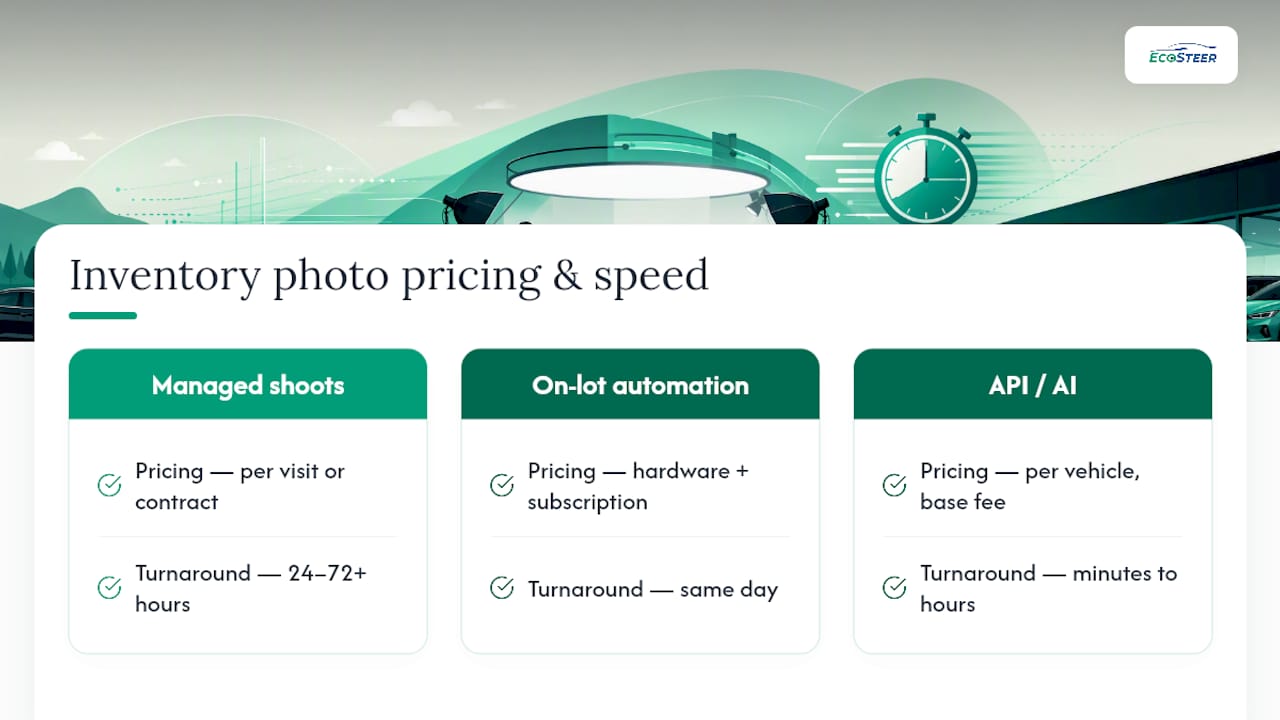
Turnaround follows the same split: API and AI processing runs from minutes to a few hours, on-lot automation typically publishes same day, and managed shoots run anywhere from 24 to 72 or more hours depending on scheduling.
The metric that matters more than any single price point is days to web. Vendor pages across the industry, including Dealer Specialties, frame speed to market as the core benefit because every day a car sits unlisted is a day it isn’t visible to a buyer. Track days to web, inventory turn, VDP click-through rate, and lead capture rate per vehicle. Faster photos rarely fix a bad price, but they consistently shorten the gap between a car arriving and its first serious enquiry.
Who owns the rights to your dealer inventory photos?
Ownership needs settling before you sign, not after a dispute. Most photography and processing vendors retain some rights to the raw or processed images unless the contract states otherwise, so read the licence terms rather than assuming ownership transfers automatically with payment.
Three points deserve specific attention. First, confirm whether you can reuse images across platforms, your own website, a marketplace listing, and paid ads, without a separate licence fee each time. Some vendors bundle unlimited reuse into the base price; others charge per placement. Second, check what happens to your image library if you switch providers. A vendor that locks images into a proprietary format or refuses export access effectively holds your inventory hostage the moment you want to leave.
Third, and often overlooked: AI processing changes lighting and background, not the vehicle. SHOWIT states plainly that its processing cleans up presentation while leaving the car’s specification and any existing damage exactly as photographed. That distinction matters for trading standards compliance in Ireland, where a listing photo that misrepresents a vehicle’s condition, whether through selective angles or genuine alteration, can expose a dealer to a consumer complaint. Keep unedited originals on file. If a buyer disputes a vehicle’s condition against its listing photos, having the source image protects you far more than any processed version does.
Finally, watermark or logo overlays are a branding choice, not a legal requirement, but check your marketplace’s own listing terms. Some platforms restrict overlaid text or logos on primary listing images.
How do you optimise dealer photos for search and online listings?
Search engines and marketplace algorithms both reward the same habits: clear file names, sensible metadata, and images that load fast without losing detail.
Start with file naming. A filename like 2021-toyota-corolla-hatchback-blue-front34.jpg tells both a search crawler and a human browsing folders exactly what they’re looking at, unlike a generic IMG_4821.jpg. Carry that same information into alt text on your website listings, since alt text is what search engines actually read when they can’t “see” the image itself.
Compress before you upload. A 12MB photo straight off a phone will slow a listing page to a crawl, and slow pages lose buyers before the image even finishes loading. WEBP format holds detail at a fraction of JPEG’s file size, and most processing vendors, including the API services covered above, deliver images already compressed for web use.
Order matters too. Lead with the strongest exterior three-quarter shot, since that’s usually the thumbnail buyers see first in search results and marketplace grids. A weak lead photo can suppress click-through even when the car itself is a good match for the search.
Finally, keep dimensions consistent across your inventory. Mixed aspect ratios make a listing page look unfinished, and some marketplace platforms crop inconsistently sized images in ways that cut off the car’s roofline or bonnet. Standardise your crop ratio once, at the shot list stage, and every image downstream inherits that consistency automatically.
A dealer’s honest take on choosing a system
Every dealership I’ve seen wrestle with this ends up trading speed against polish, and staffing against automation. On-lot rigs pay off fastest when volume is high and staff turnover is low enough to keep training consistent. Managed shoots still win for flagship stock.
My practical advice: pilot one bay before rolling out anywhere, test the integration against your actual DMS rather than a demo environment, and set a firm SLA for time-to-web before you sign anything. For manifest formats and listing specs, Ecosteer’s car ad writing guide is worth a read before you brief any vendor.
— ibrahim
Get your cars in front of buyers faster once the photos are ready
Great inventory photos solve half the problem. The other half is getting that car in front of the right buyer without a lead sitting unread in an inbox for two days. A dealer backend platform is built as the practical next step after your images are sorted: list a vehicle, manage enquiries, and communicate with buyers directly through one dashboard, without the legacy overhead of older marketplaces.
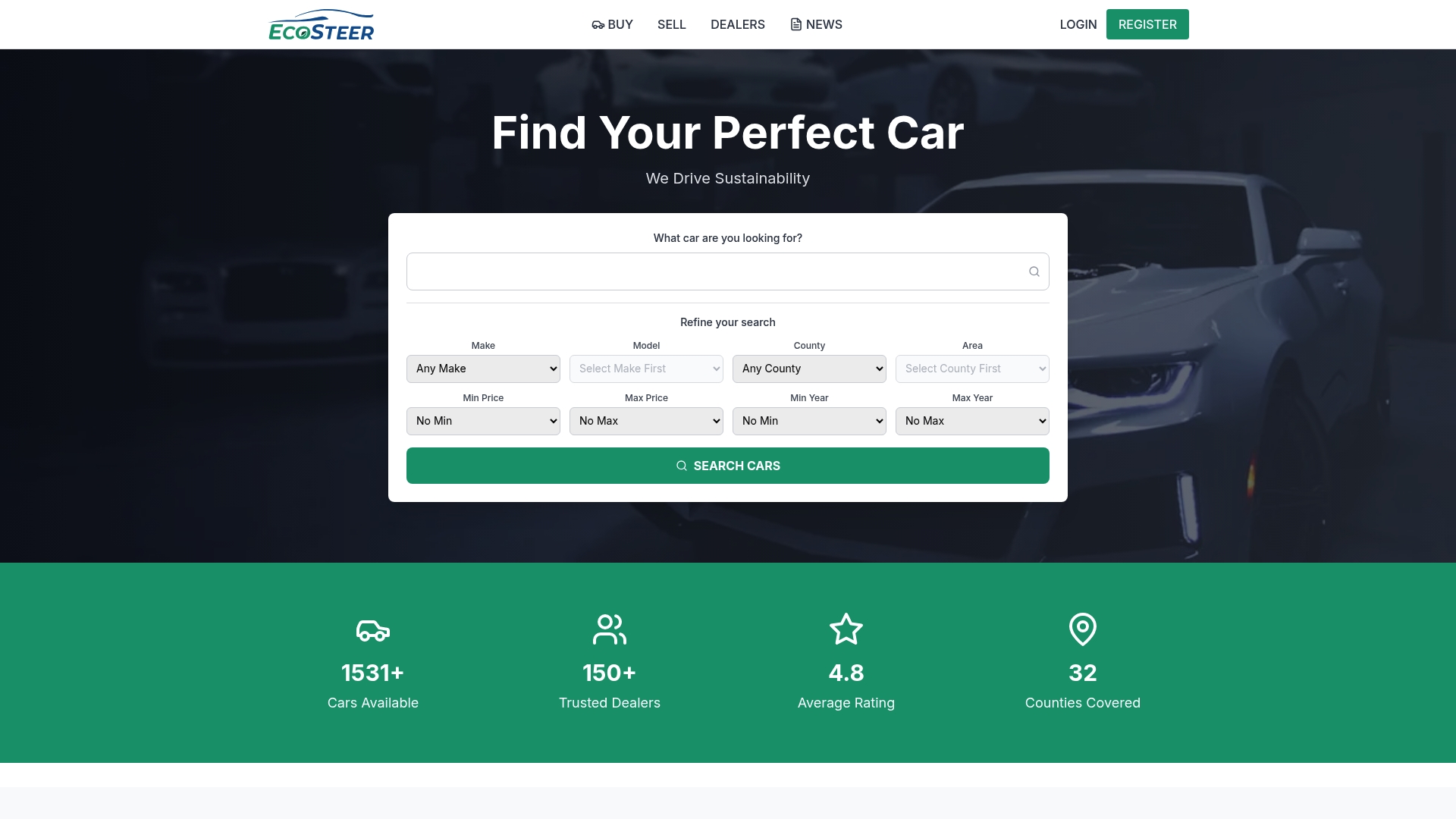
Ecosteer’s dealer backend is built for exactly the workflow this article describes: images go live, leads come in, and you respond before that buyer moves on to the next listing. Coverage spans counties across Ireland, from Dublin to Kildare and Louth, with search tools buyers actually use, filtering by price, mileage, transmission, and body type.
Once your shot list is sorted and your images are ready, list your vehicle on Ecosteer’s marketplace and start managing enquiries the moment they land.
FAQ
How many photos should a car listing have?
Aim for a minimum of 15 to 20 images per vehicle: eight exterior angles, several interior shots, and close-ups of the odometer, tyre tread, and VIN plate. VehicleImagery’s API returns this exact structure automatically for dealers using image resolution services.
Does AI photo processing change how the car actually looks?
No. AI services clean up lighting, background, and colour balance, but the vehicle’s specification and any existing damage stay exactly as photographed, as SHOWIT states of its own processing. Keep unedited originals on file regardless, in case a buyer disputes condition against the listing photos.
What’s the fastest way to get inventory photos online?
API and AI processing services are fastest, often turning raw phone photos into listing-ready images within minutes to a few hours, compared with same-day for on-lot automation and 24 to 72-plus hours for managed shoots. Once images are ready, publishing through a platform like Ecosteer keeps the gap between photo and live listing as short as possible.
Do dealer photography vendors integrate with DMS systems?
Many do, through webhooks, bulk VIN manifests, or direct DMS connectors, though the depth of integration varies by vendor. Ask for a sample manifest and confirm webhook support before signing, since a vendor without either option usually means manual uploads on your end.
What does it cost to list a car on Ecosteer?
Ecosteer offers free listings for vehicles under a certain price, with paid listing and promotion options available for dealers wanting extra exposure. Current pricing details are available directly on the Ecosteer site.
Recommended
Ecosteer Editorial
Author